### Reverse Engineering an Android Application

This is my walkthrough for the [KGB Messenger CTF](https://github.com/tlamb96/kgb_messenger?tab=readme-ov-file&ref=maliciousmind.net). Shout-out to Tyler for providing this CTF experience — make sure to explore his work for some more content.
[Backstory](#40dd "Backstory")
[Installing the Application](#8198 "Installing the Application")
[Alerts](#706b "Alerts")
[Login](#824f "Login")
[Social Engineering](#d72e "Social Engineering")
In this walkthrough, we’ll focus on static analysis methods, reserving dynamic methods with Frida for further posts. We’ll look at ways of accomplishing the following and which tools to do so:
- Decoding an APK file (**apktool**)
- Decompiling an APK to obtain the Java code (**d2j-dex2jar & JD-GUI**)
- Re-building a dismantled APK (**apktool**)
- Installing/Uninstalling APKs (**ADB**)
### Backstory
> _You are working for the International Secret Intelligence Service as a reverse engineer. This morning your team lead assigned you to inspect an Android application found on the phone of a misbehaving agent. It’s rumored that the misbehaving agent, Sterling Archer, has been in contact with some KGB spies. Your job is to reverse engineer the application to verify the rumor._
### Installing the Application
While you can choose your preferred emulator, I’ve found Android Studio’s built-in emulator to be the easiest. In order to understand and analyse the behavior the APK, we have to run it. If you’re using Android Studio, the Android Debug Bridge (ADB) should already be linked to the emulator.
adb devices
adb install kgb-messenger.apk
We can verify that the APK installed correctly by checking the emulator.
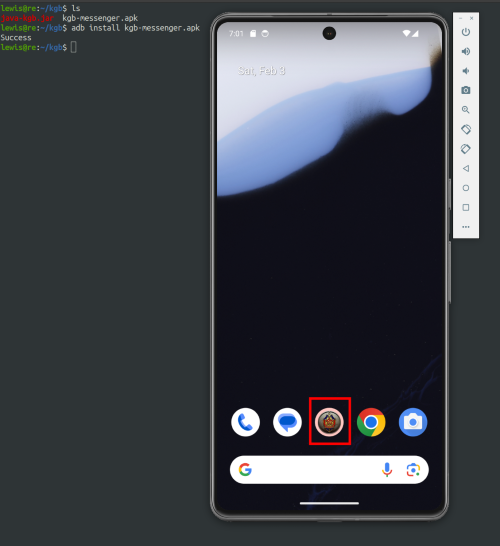
KGB Messenger Application
When we run the application, we see the following message:
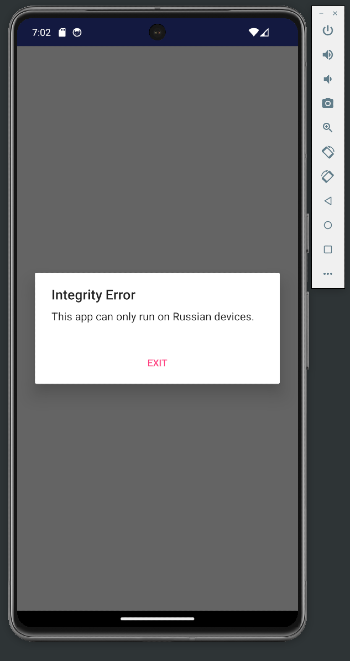
Integrity Error when we run the application
I don’t know about you, but I’m not Russian. Clicking `Exit` only closes the application so now we’ll reverse engineer to see if we can bypass that pop-up.
### Alerts
APKs are encoded, making them unreadable if simply unzipped. Therefore, we need to decode the APK so that we can read the `AndroidManifest.xml` file to identify what activity gets called first. We can pass the APK into`apktool`and it will dump out the decoded contents.
We can see some of the options available for use with `apktool` below, but we will keep it simple with the `d` flag for decoding.
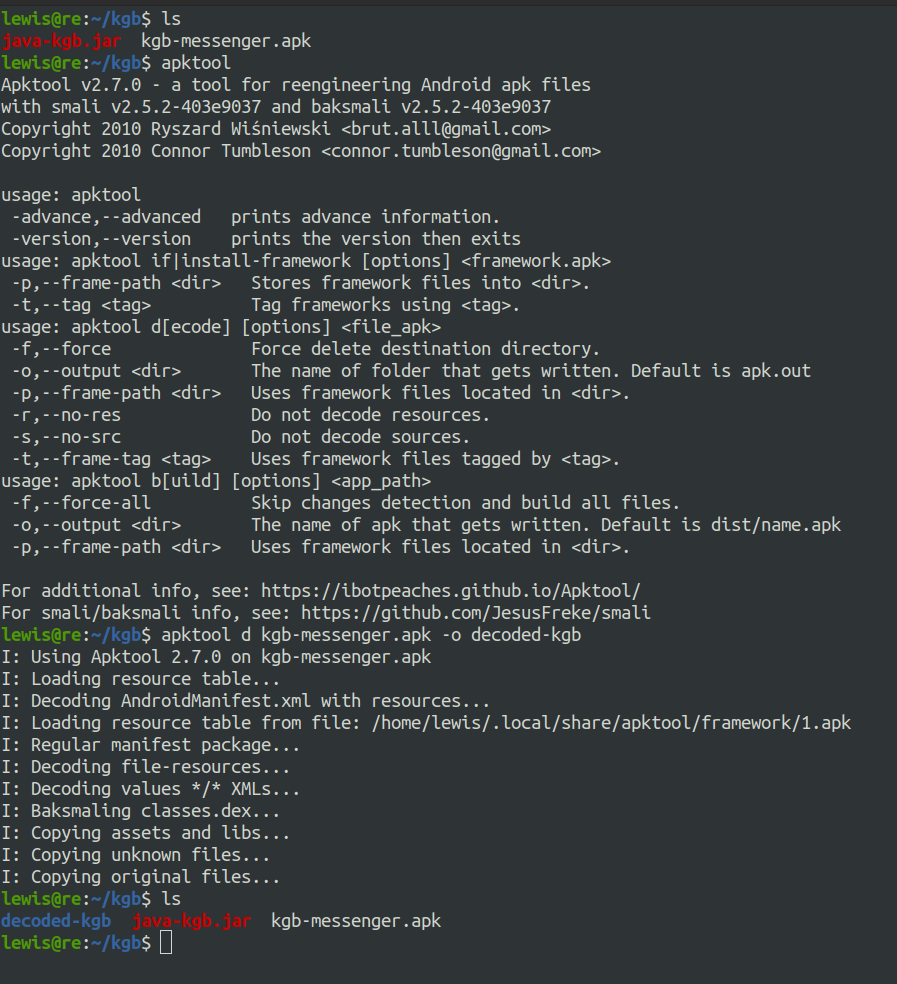
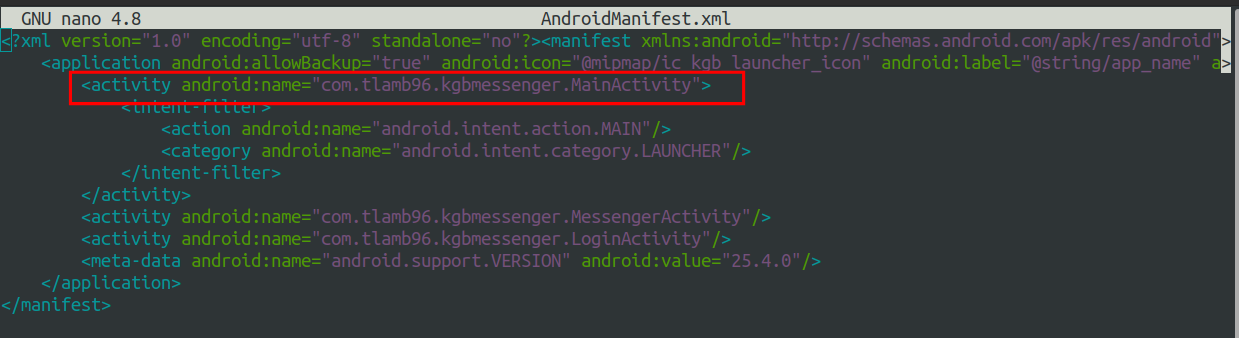
AndroidManifest.xml
As you can see from the screenshot above, we’re now able to look for the `AndroidManifest.xml` which will give us an idea of where to begin. We can see that the first activity that runs is `MainActivity`.
You may have noticed a `java-kgb.jar` file in the previous screenshot, this is the de-compiled APK. We can obtain this by using `dex2jar` which will give us a `.jar` file which can then be loaded into JD-GUI.
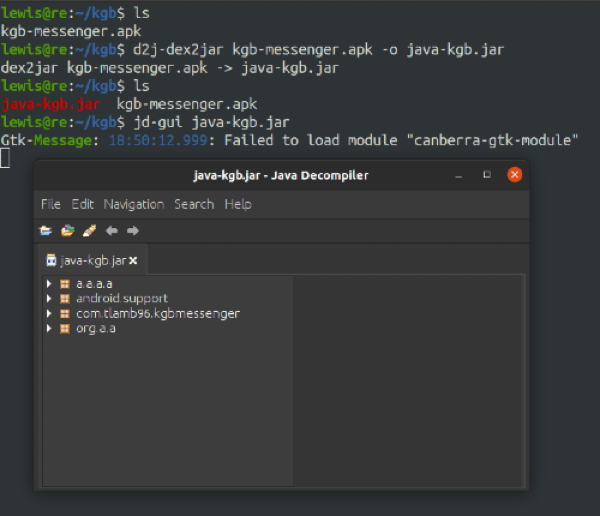
De-compile the APK and load it into JD-GUI
Note that it is also possible to review the decoded files that `apktool` dumped out but I just find JD-GUI to be a lot easier to navigate.

De-coded smali files
Smali can be considered an assembly language. APK files will contain something called a `.dex` file, this `.dex` file contains Dalvik Bytecode — this is what is actually interpreted and processed when the application runs. Smali is the human-readable representation of this bytecode.
The image below shows what the `MainActivity` class looks like in JD-GUI.
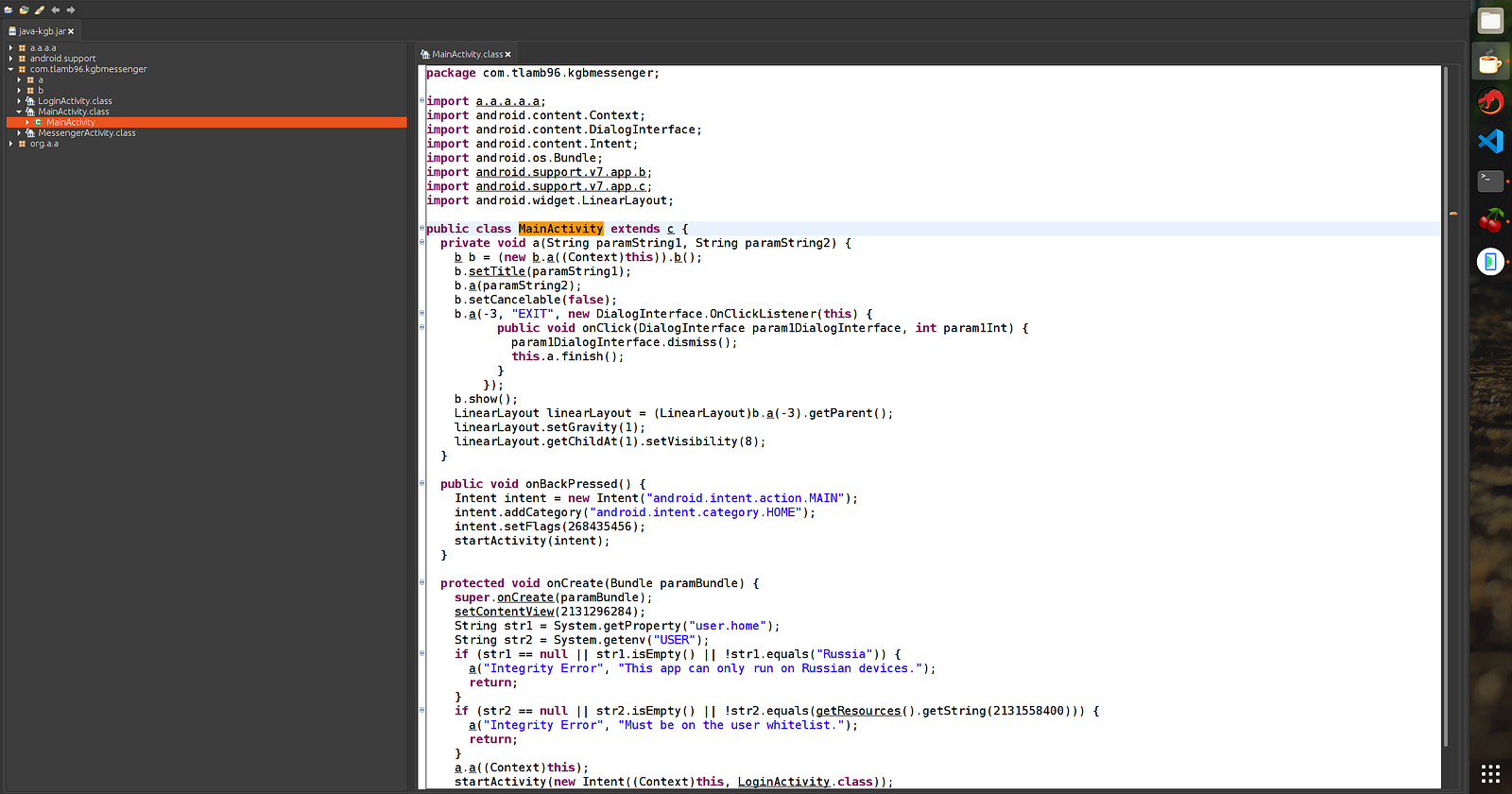
MainActivity Class
The method that we’re interested in is `onCreate`. In `onCreate`, we can observe the following:
- Two strings `str1` & `str2` are created.
- The `System.getProperty` method is called to retrieve the system property named `user.home` which will typically represent the user’s home directory, the value of which is stored in `str1`.
- The `System.getenv` method is called to retrieve the value of the environment variable named “`USER`”. Environment variables store information about the environment an application is currently running in. The result gets stored in `str2`.
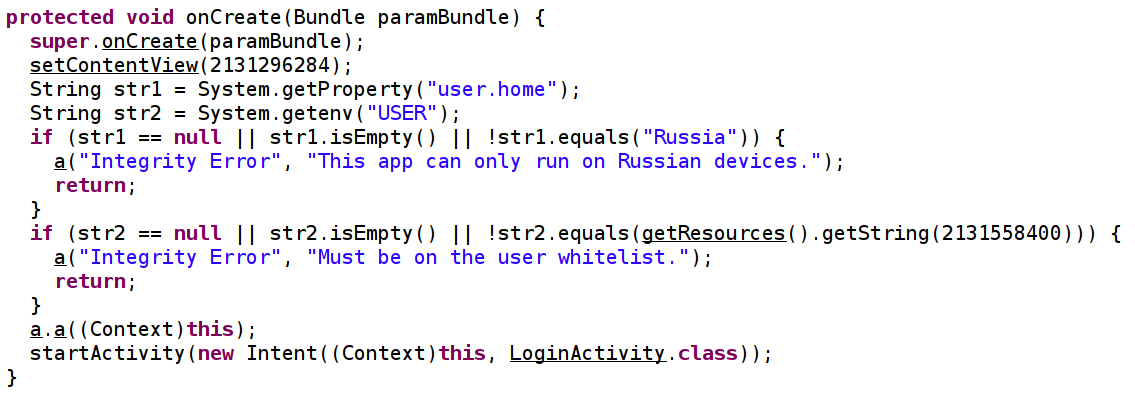
Interesting Method
The code then appears to throw an error if `str1` is either null, empty, or is not equal to ‘`Russia`’. Similarly, an error will be thrown if `str2` is either null, empty, or is not equal to the value that is represented by `2131558400`.
getResources().getString(2131558400)
APKs have something called an Android Resource Table (resources.arsc) file which contains a compiled list resources that the application uses. When we originally used `apktool`, it also createad a readable version of this resource file. This is where we can look at strings.
/decoded-kgb/res/values/strings.xml
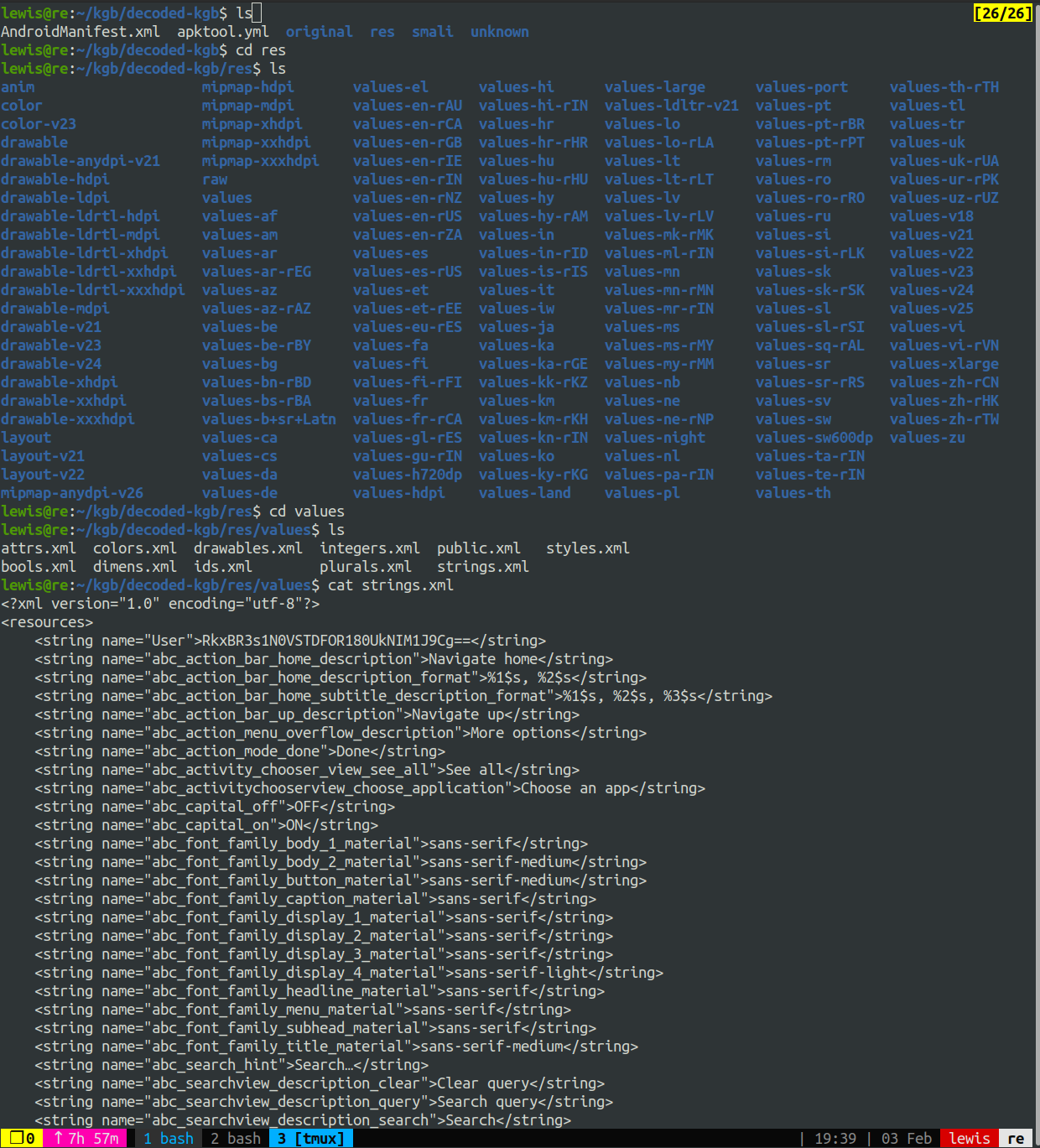
At the top of this file observe a string labeled “`User`” encoded in base64. This is one of our flags.

Decoding the string
### Login
Still, the popup box persists when we launch the application. As a quick reminder, the `onCreate` method was responsible for executing all of the string comparison checks, and `onCreate` is nested within the `MainActivity`. The next logical progression leads us to examine the Smali code for `MainActivity`.
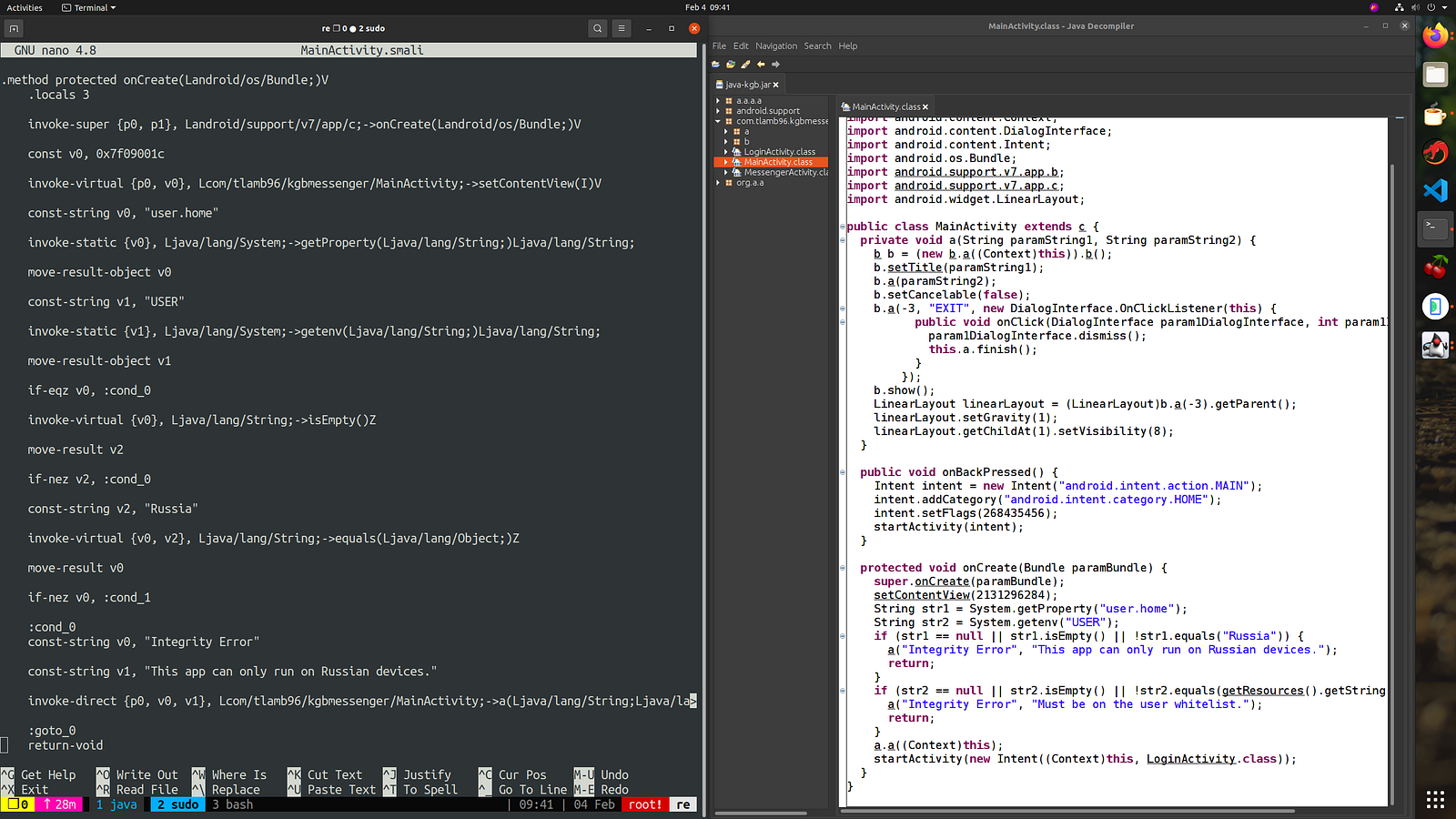
Smali for ‘MainActivity’ side-by-side with Java representation
Let’s pinpoint the location of the checks so that we can eliminate them altogether. Admittedly, reading Smali code isn’t my forte.
It helps to compare the Java code to the Smali code for clarity.
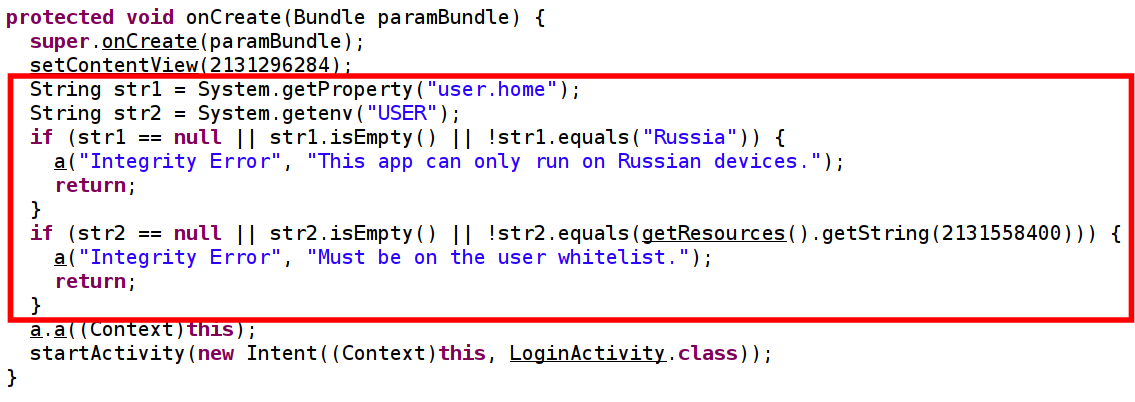
Java code responsible for the checks
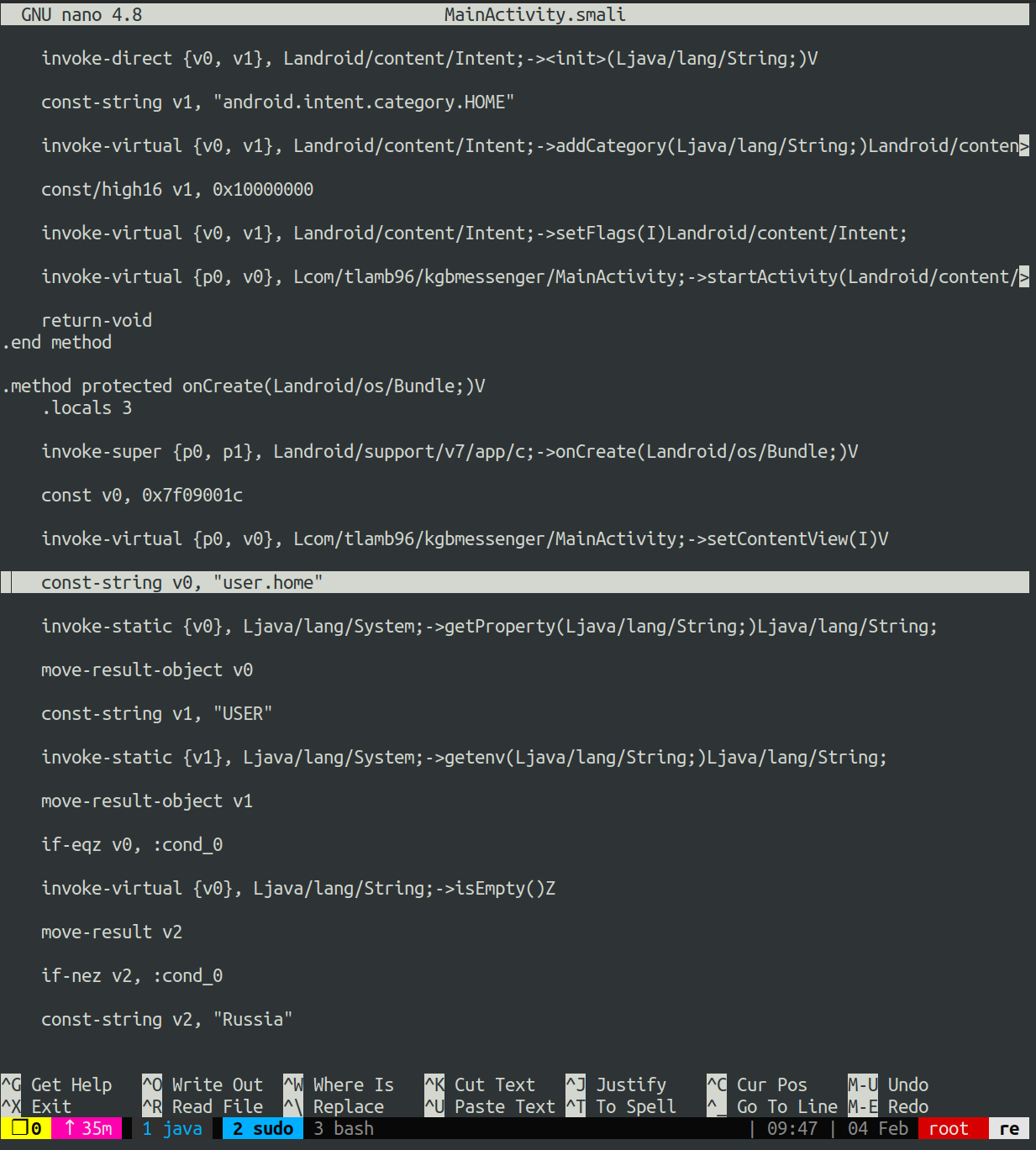
Smali code equivalent
Since we’re on a mission to completely bypass the integrity checks, the straightforward approach is to locate where `user.home` is loaded into `v0`. Then, in theory, we can remove all the code between this point and where the user interface stuff continues.
The final code after a Smali makeover should look like the following:
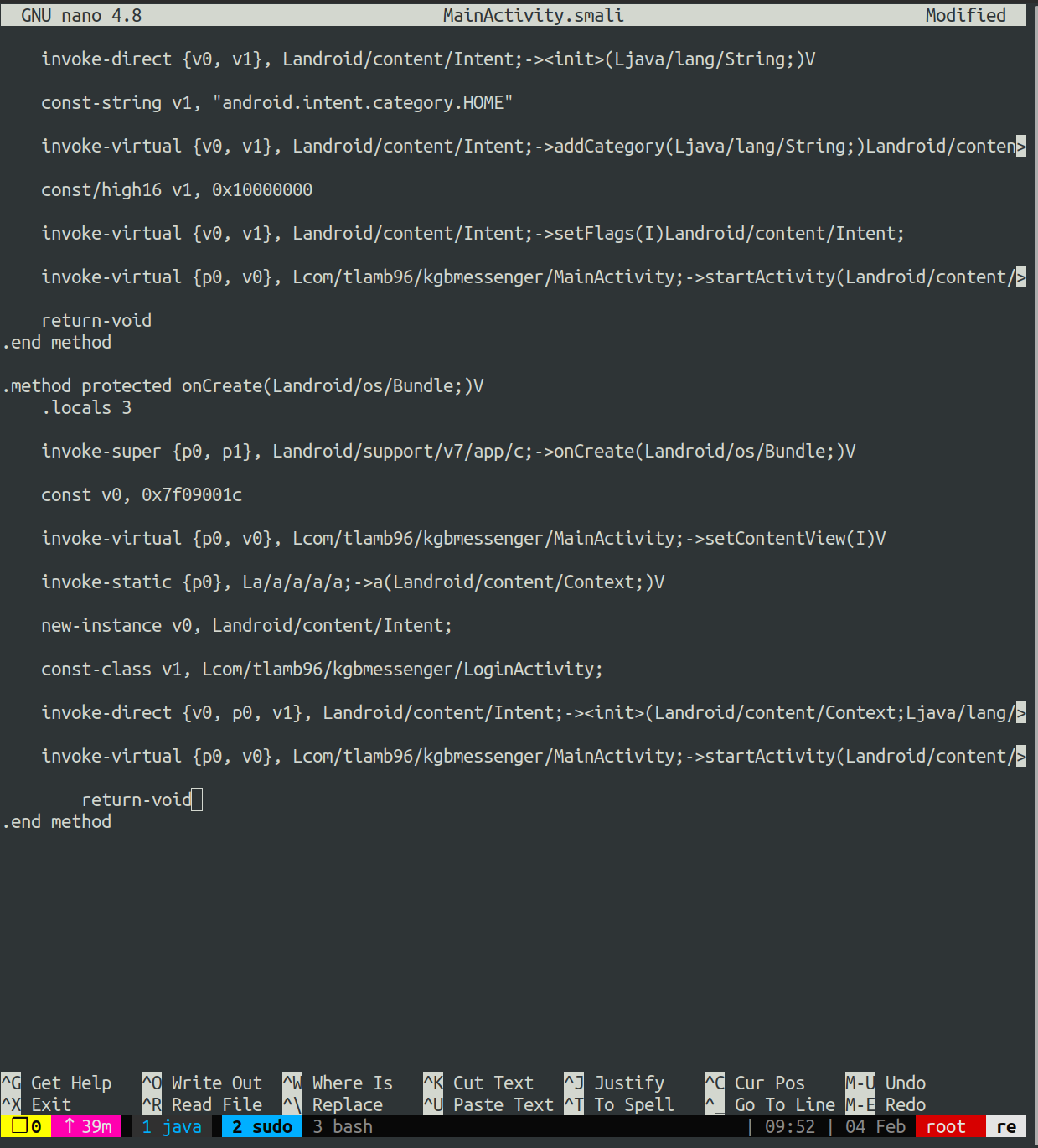
Final Smali code
Now, reconstruct the APK using `apktool` with the `b` flag for build.
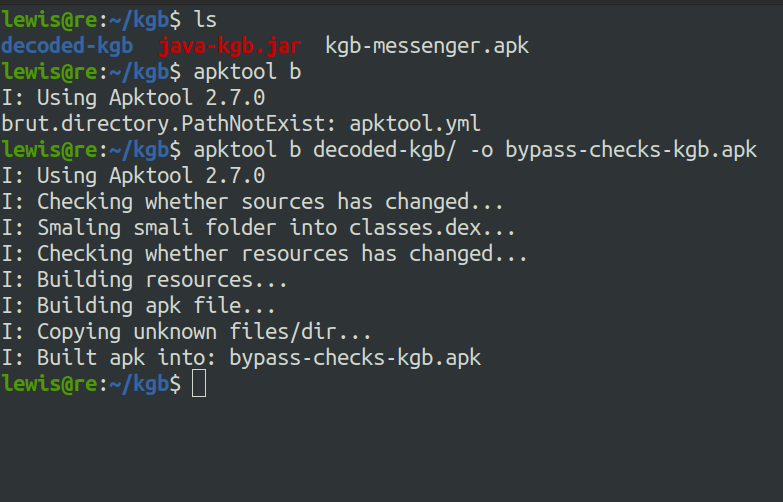
Building the APK
Next we can push it to the Android device for testing. But first we should remove the original APK.
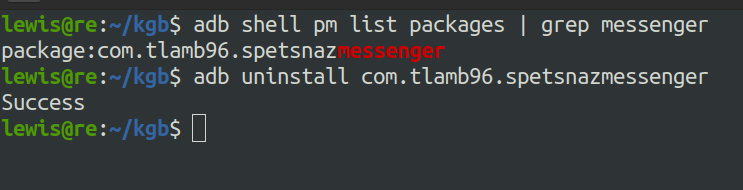
Check package name, uninstall package
Then install the modified version.
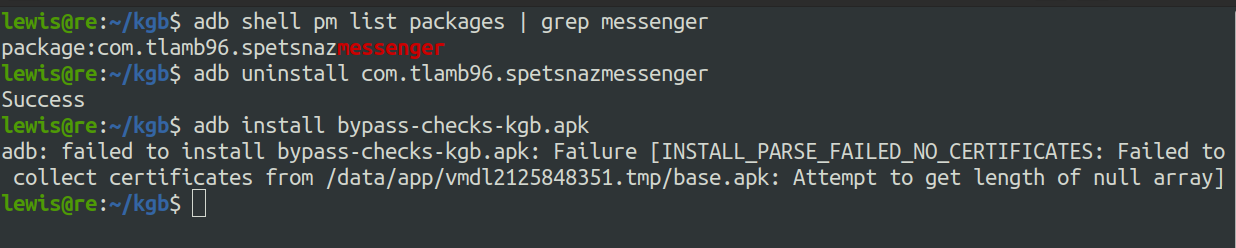
Installing the modified APK
Oops. Android mandates that all APKs be digitally signed with a certificate prior to installation or updates. We can sign our APK by downloading `uber-apk-signer`.
> `_Uber-apk-signer_` _is a tool that helps to sign, zip aligning and verifying multiple Android application packages (APKs) with either debug or provided release certificates (or multiple)._
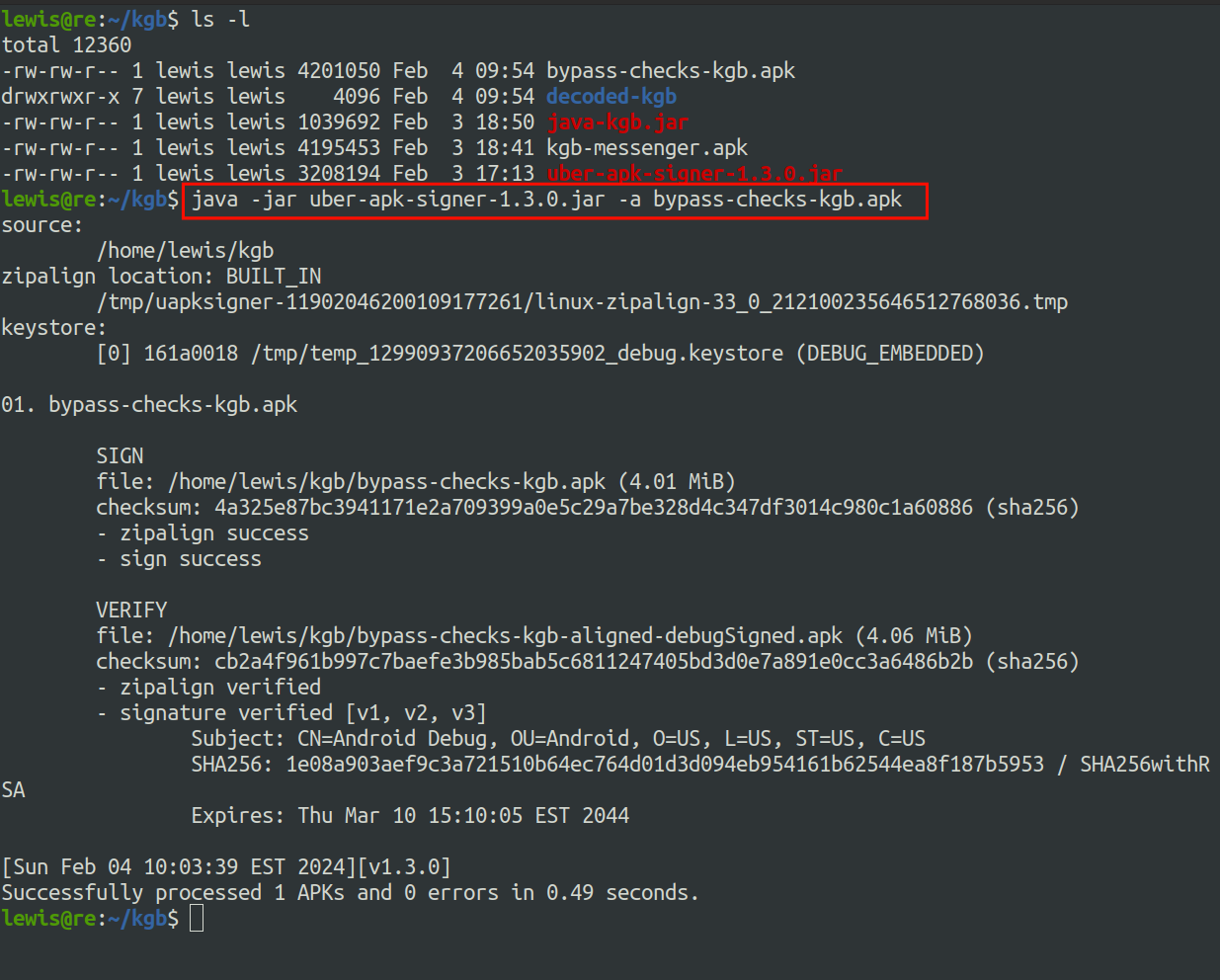
Signing the APK
As you can see, it successfully signed our APK. The next step is to install the signed version onto the emulator.
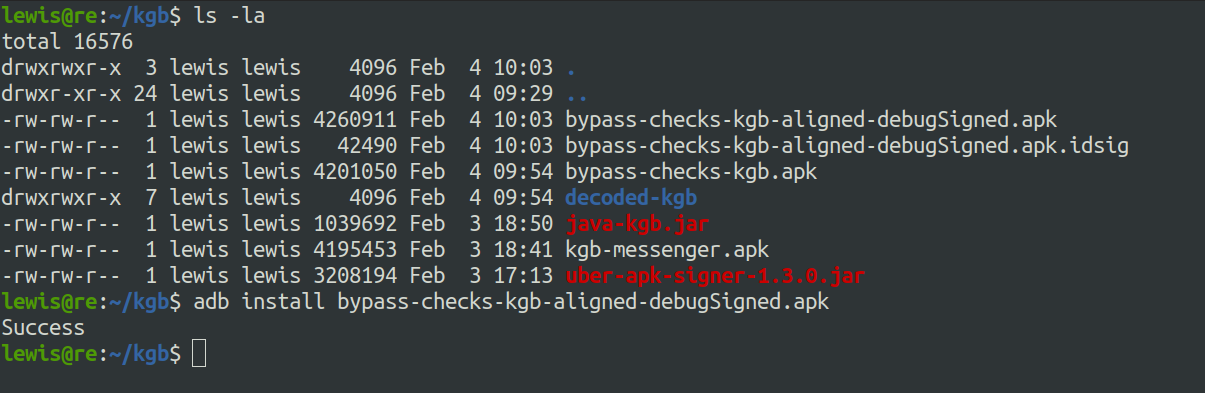
Installing the APK again
The moment of truth…
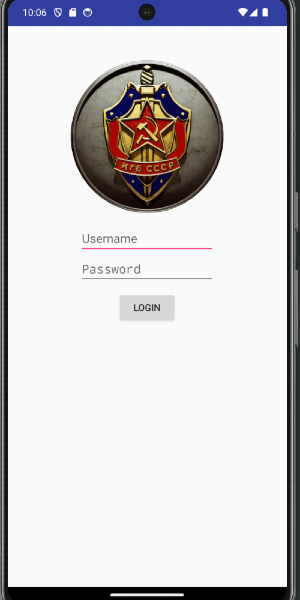
Integrity checks bypassed
What now? Since it’s evident that this is a login process, we can turn our attention to the `LoginActivity` class.
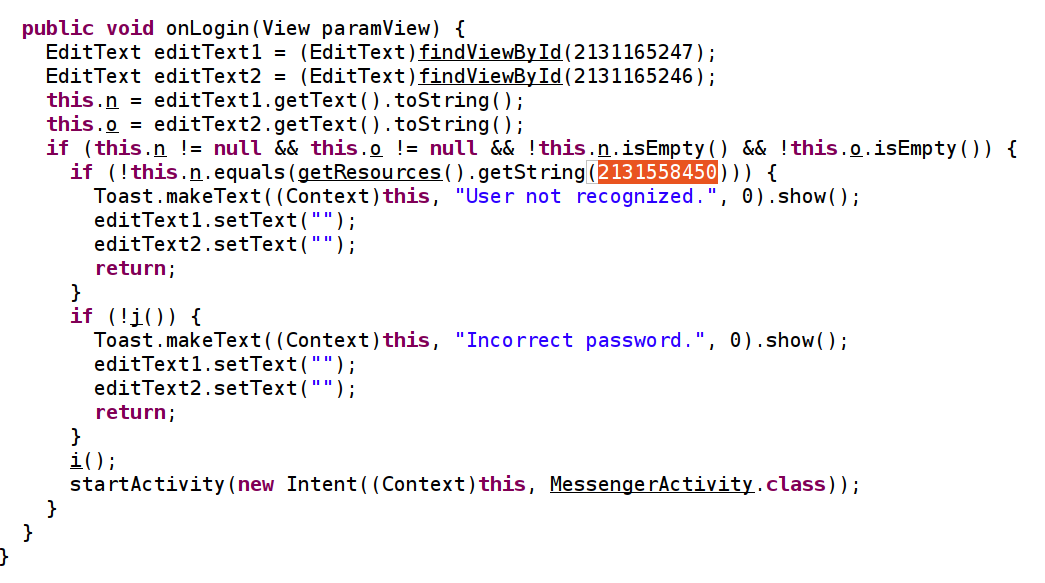
‘LoginActivity’ class
Similar to the initial integrity checks, it seems we have another check tied to the username, triggering a “`User not recognised.`” message if it doesn’t match the string represented by `2131558450`. I took the lazy route by inspecting the decoded strings in `strings.xml`.
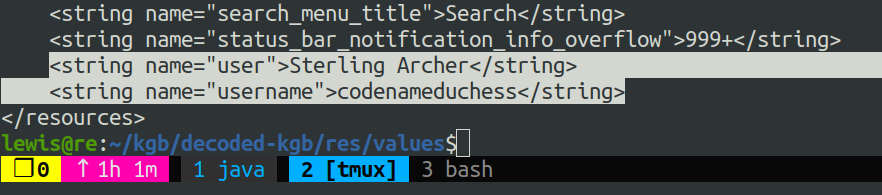
This appears to be a username, but the password? After a somewhat sluggish crawl of the files, I opted for a sanity check via Google.
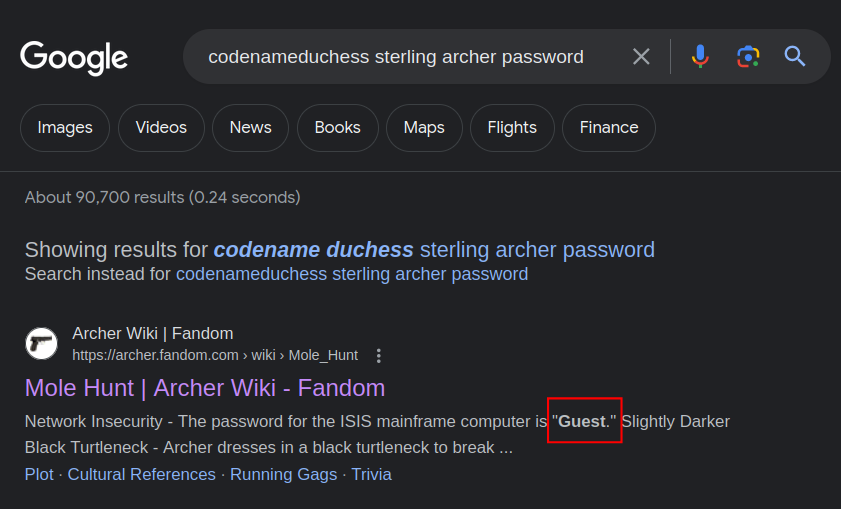
Password revealed
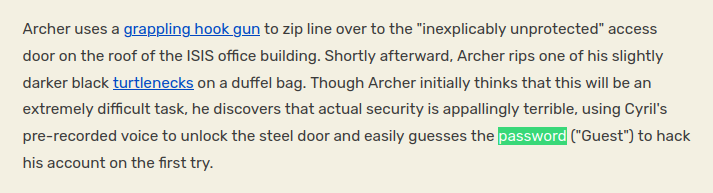
These credentials work and we are one step closer to the final flag.
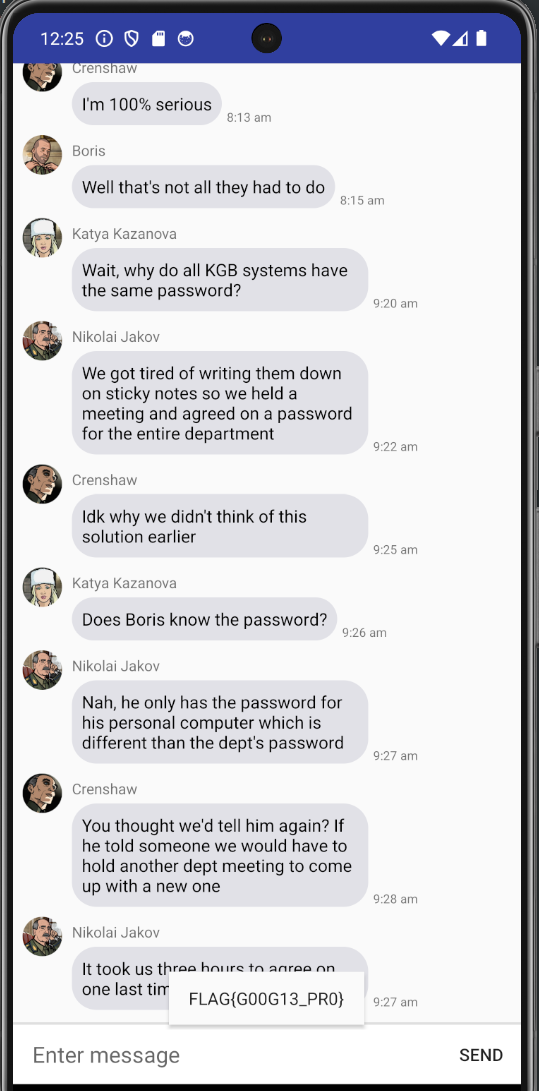
### Social Engineering
Looking at the `MessengerActivity` class, as this is what activity runs next, we see some variables of interest.
- String `p` which = `“V@]EAASB\022WZF\022e,a$7(&am2(3.\003”`
- String `r` which = `“\000dslp}oQ\000 dks$|M\000h +AYQg\000P*!M$gQ\000”`
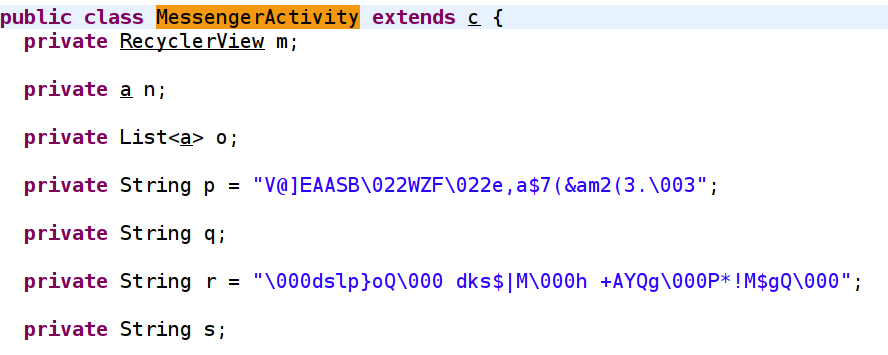
If we continue reading the code, there are two methods, `a` and `b` which both return string values. A brief look at the code tells us that these methods are responsible for obfuscation.
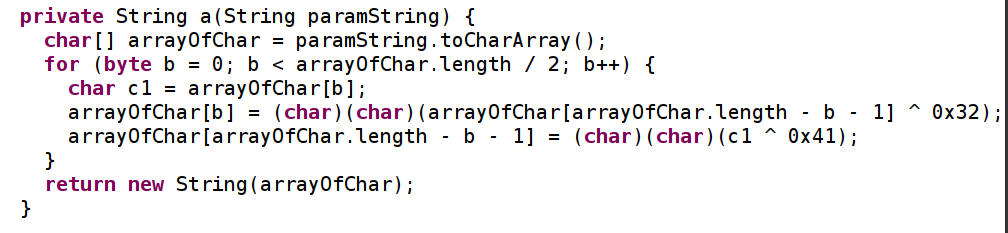
The obfuscation method
Further on down, `onSendMessage` is called whenever we send a message.
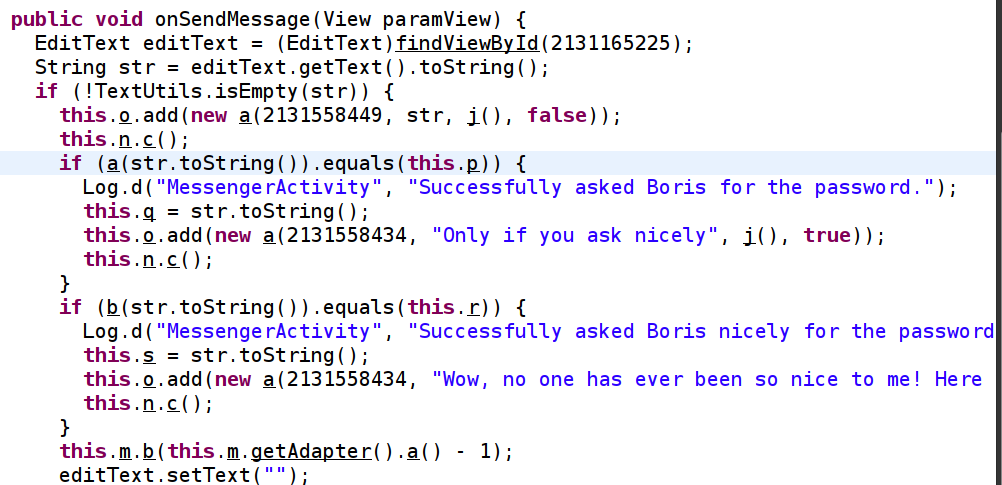
This method appears to be doing a comparison between the two obfuscated strings, and two new strings `a` and `b.` Using Frida, we can confirm that `a` and `b` store the messages that we send respectively.
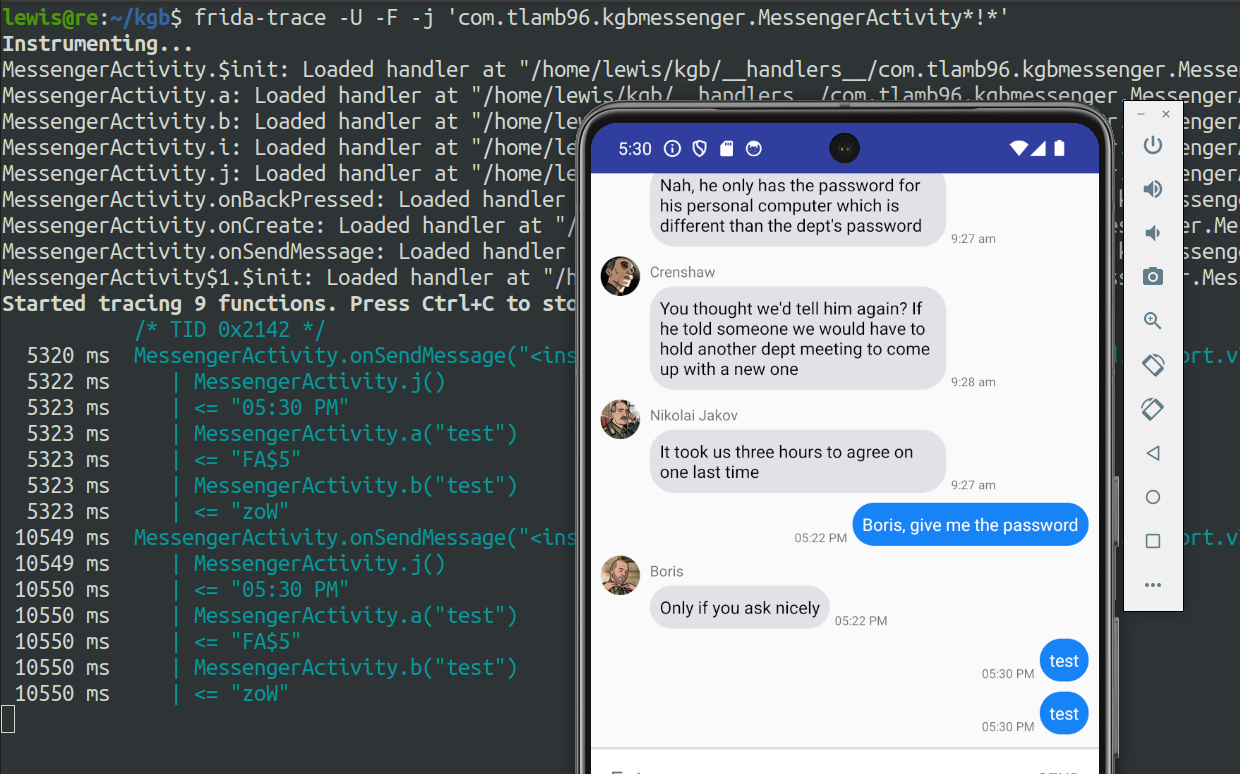
Tracing with Frida
The image above shows that when `j` is called, whatever we input in the app will get stored into `a` or `b` and then the `XOR`operation will occur in order to obfuscate and compare our input with the obfuscated strings we saw before.
A breakdown of the `a` method:
1. Take a string as input
2. Convert that string to the character array`arrayOfChar`
3. Enter a loop, `b`(index variable) is 0, while `b` is less than half of the array, increase `b` by 1 each iteration.
4. `c1` is initialised as the character which is at index `b` of the `arrayOfChar` array.
arrayOfChar[b] = (char)(char)(arrayOfChar[arrayOfChar.length - b - 1] ^ 0x32);
5. The next line as seen above, modifies the character at the index `b`, `b` will start at `0` and iterate through until half way through the array. It then subtracts `b` (whatever index the loop is currently in) from the total length of the array, before subtracting `1` to make up for ‘zero-based’ indexing. If this isn’t clear, consider the following:
R e v e r s i n g ! = 10 character string
0 1 2 3 4 5 6 7 8 9 = zero-based indexing
arrayOfChar.length = 10
b = start of index so 0
10 - 0 = 10
10 - 1 = 9
9 = !
Next iteration:
b = 1
10 - 1 = 9
9 - 1 = 8
8 = g
6. `^ 0x32` performs an `XOR` operation with the hex value 0x32 — this is the obfuscation.
arrayOfChar[arrayOfChar.length - b - 1] = (char)(char)(c1 ^ 0x41);
7. Similarly, the next line of code performs a further `XOR` operation on the character in`c1` with the hex value 0x41.
Now that we know how the obfuscation is performed, we can write code to reverse it. I’m writing in C because I’m most comfortable with it but feel free to choose your own poison.
Because the characters get `XOR`’d with 0x32 first and then 0x41, we just need to write a function that does the same thing but in the opposite direction.
> Note: I changed `b` to `index` merely out of personal preference.
void reverse(char* obfuscatedString)
{
int length = strlen(obfuscatedString);
for (int index = 0; index < length / 2; index++)
{
char c1 = obfuscatedString[index];
obfuscatedString[index] = obfuscatedString[length - index - 1] ^ 0x41;
obfuscatedString[length - index - 1] = c1 ^ 0x32;
}
}
We just need a main function now to hold the obfuscated string and also to perform the reversing function.
int main() {
char obfuscatedString[] = "V@]EAASB\022WZF\022e,a$7(&am2(3.\003";
printf("Before reversing: %s\n", obfuscatedString);
// Reverse the obfuscation
reverse(obfuscatedString);
printf("After reversing: %s\n", obfuscatedString);
return 0;
}
We can now compile and run this program.
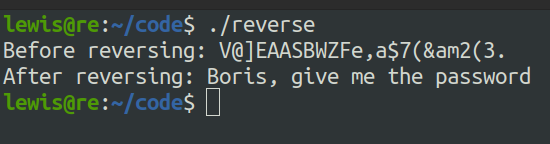
Let’s try sending this as a message in the app.
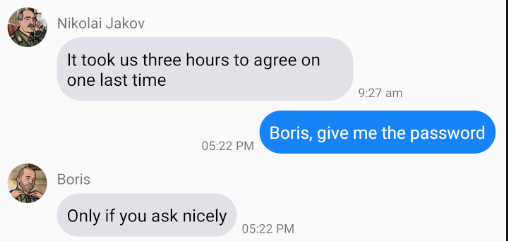
Boris is playing hard to get. No worries.
The obfuscation method for `b` looks a little weird in JD-GUI. We can assume that there have been issues when decompiling.
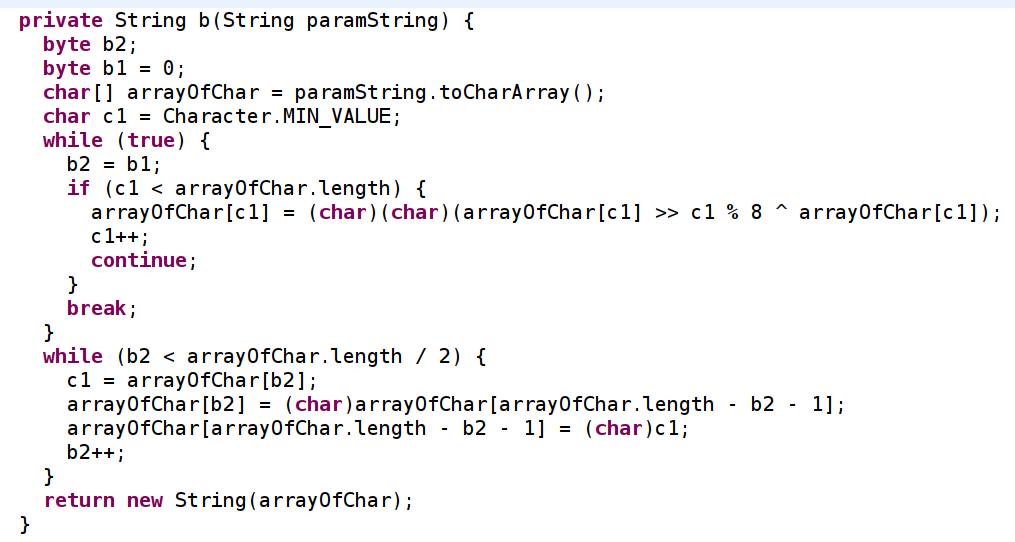
It looks better in JADX-GUI…
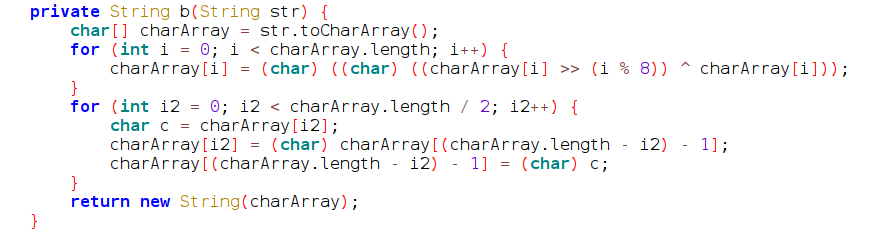
Generally, the `b`method does the following:
1. Takes user input, converts it to a character array
2. Iterate through the array till half-way through
3. Right shift the character by `i % 8` — the remainder when we divide `i` by `8`
4. `XOR` the result by the original character (`i`)
5. Then, the current iteration which is stored in a new variable `i2` is equal to the last character of the array (it’s reversing the array)
I had a nightmare with this. After a lot of suffering, I was able to deduce that reversing this is impossible unless you happen to have access to a quantum computer or something. We need to brute force it.
Because the obfuscation right shifts, `XORs`, then reverses the string, we will reverse it first.
def reverse_string(inputString):
return inputString[::-1]
# converted the null terminators to Python syntax for this step
inputString = "\x00dslp}oQ\x00 dks$|M\x00h +AYQg\x00P*!M$gQ\x00"
reversedString = reverse_string(inputString)
print("Original string:", inputString)
print("Reversed string:", reversedString)
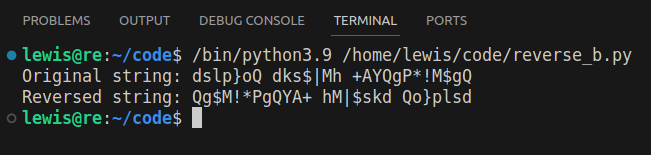
Reversed String
Now we need to write code to brute force. We need it to do the following steps:
1. XOR each character
2. Right shift each character
import string
# Reverse the string
def reverse_string(inputString):
return inputString[::-1]
inputString = "\x00dslp}oQ\x00 dks$|M\x00h +AYQg\x00P*!M$gQ\x00"
reversedString = reverse_string(inputString)
print("Original string:", inputString)
print("Reversed string:", reversedString)
# Define a function to perform brute-force decryption
def bruteforce(index, obf):
# Print * if we can't crack a character
if index % 8 == 0:
print("*")
return
# Iterate over the alphabet
for letter in string.ascii_letters:
# XOR and right shift on the character
decrypted_letter = chr((ord(letter) >> (index % 8)) ^ ord(letter))
if decrypted_letter == obf:
# If matches, print the potential letter
print(letter)
return
# Iterate over each character in the reversed obfuscated string
for index in range(len(reversedString)):
# Call the bruteforce function to attempt it for each character
bruteforce(index, reversedString[index])
When we run our code, we get something resembling a string — just do some tidying up to get `*ayIP*EASEh*vethe*assword*`. It’s safe to assume that this is ‘May I PLEASE have the password?’.
*
a
y
I
P
*
E
A
S
E
h
*
v
e
t
h
e
*
a
s
s
w
o
r
d
*
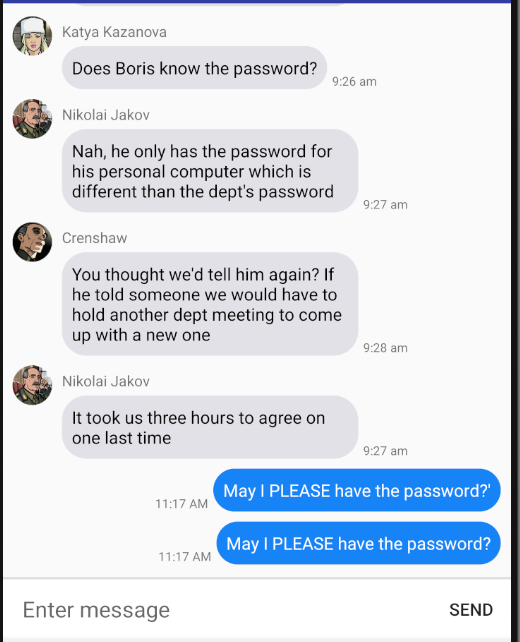
Interesting, must be missing punctuation? We can define an alphabet in our code that includes punctuation as we just had a-z & A-Z before.
import string
# Reverse the string
def reverse_string(inputString):
return inputString[::-1]
inputString = "\x00dslp}oQ\x00 dks$|M\x00h +AYQg\x00P*!M$gQ\x00"
reversedString = reverse_string(inputString)
print("Original string:", inputString)
print("Reversed string:", reversedString)
def bruteforce(index, obf):
alphabet = string.ascii_letters + string.punctuation
if index % 8 == 0:
print("*")
return
for letter in alphabet:
if chr((ord(letter) >> (index % 8)) ^ ord(letter)) == obf:
print(letter)
for index in range(len(reversedString)):
bruteforce(index, reversedString[index])
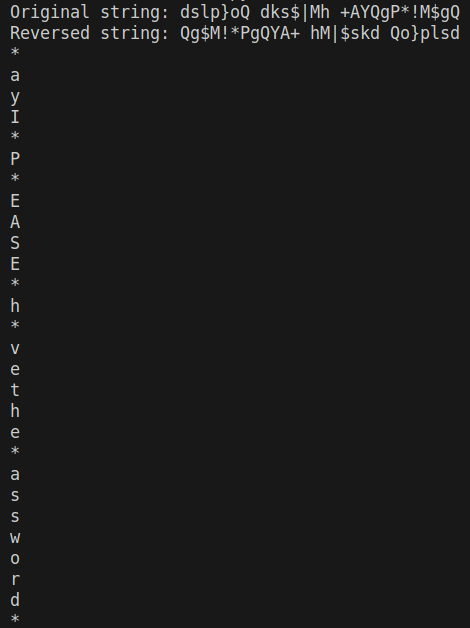
I appear to have chosen an unfortunate placeholder to print out when we weren’t able to brute force a character, a quick change to our code will fix this.
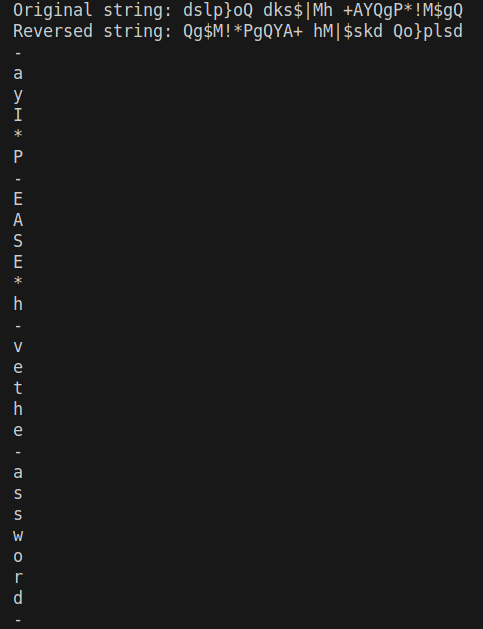
That’s better. `May I *PLEASE* have the password?`
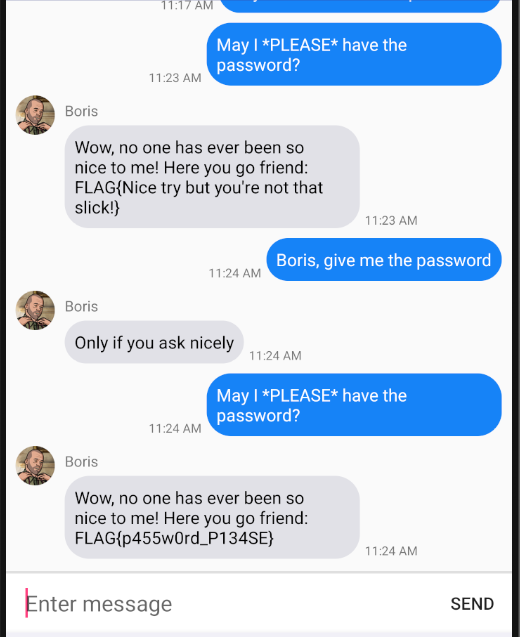
Finally. I forgot that there was code to make sure that both messages are sent consecutively and because I got the flags on different days I just had to send them both again.
Thanks for reading, peace.